Your always-at-hand task manager
Get tasks done. Without switching apps.
A widget at the edge of your screen: one click or Ctrl+Alt+Space and it's there in 2 seconds, gone in 1. Above all apps, no context switch.
For Windows 10 and 11 · Data stored in the EU
Try it: hover over the dock, tick off tasks or add a new one.
No more popcorn brain
Tasks in one app, meetings in the next, projects in a third – and constant hopping in between. Every switch pulls your attention away, and by the end of the day a lot is started and little is done.
Popcorn brings it together in one place and runs where you work: at the edge of your screen, on top of every app. Open it, check off a task, keep working.
Everything in one place, right where you work
Runs where you work
Popcorn docks at the edge of your screen and stays on top of every window. Hotkey, jot down a task, close. No tab or window to hunt for.
Tasks, projects, calendar together
Today list, projects and your next meetings in one panel. Status, progress and target dates calculate themselves.
Plan the way you work
An Eisenhower matrix by urgent and important, drag tasks into free time slots in your calendar, track time per task and project.
No vendor lock-in
Google Tasks in both directions, with the lists you choose, plus Google Calendar. Export as JSON at any time. Your data belongs to you – and stays in the EU.
Invisible when sharing
During screen sharing in Teams, Meet or Zoom, Popcorn stays hidden. With full-screen apps and presentations it steps aside.
On your phone, too
The Android app (beta) shows Today, This week and projects, reminds you of tasks with a time and has a home screen widget. The Windows app keeps itself up to date.
See it in action
The panel slides in next to your work. You stay in your app.
- Included from Free
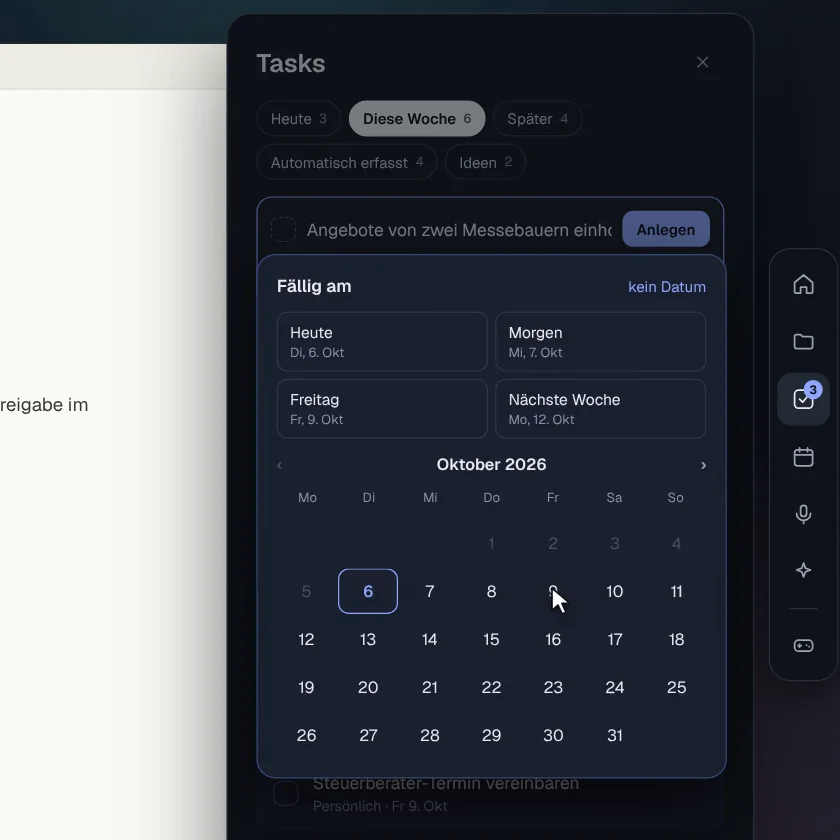
Dates in one click
Today, tomorrow, Friday or any day in the calendar.
- Included from Free
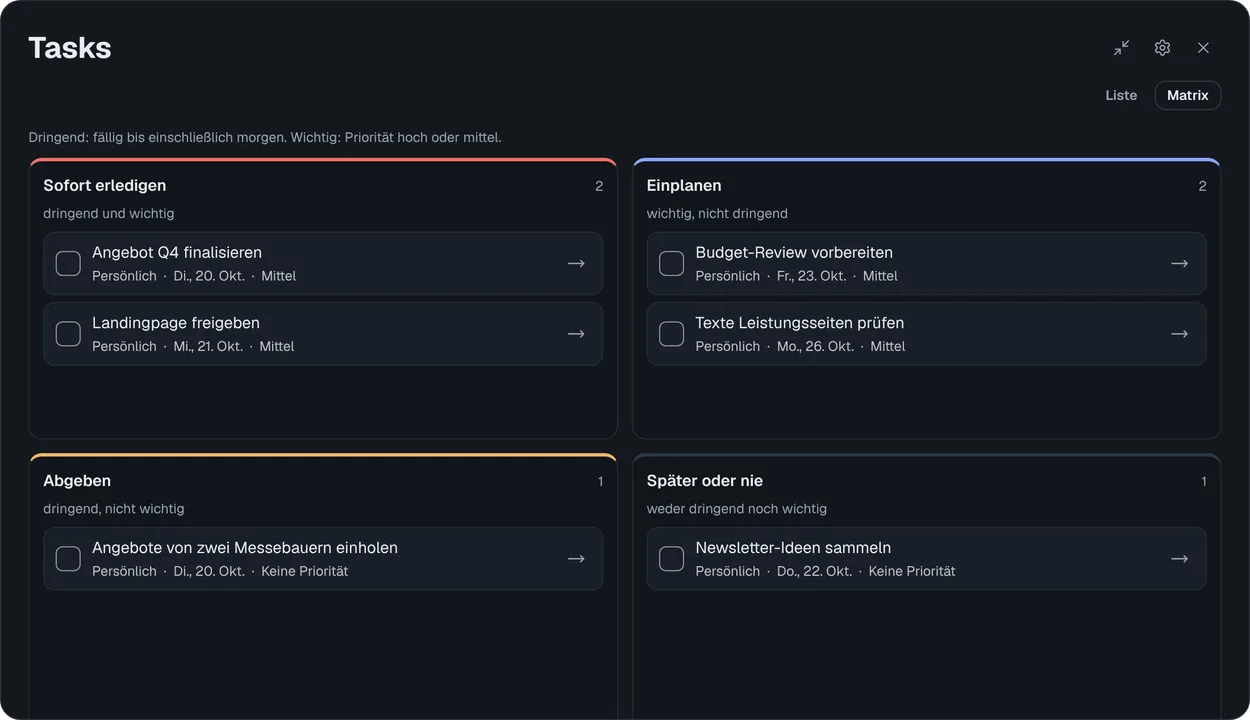
Eisenhower matrix
Urgent and important at a glance. Move tasks by drag or keyboard.
- Included from Free
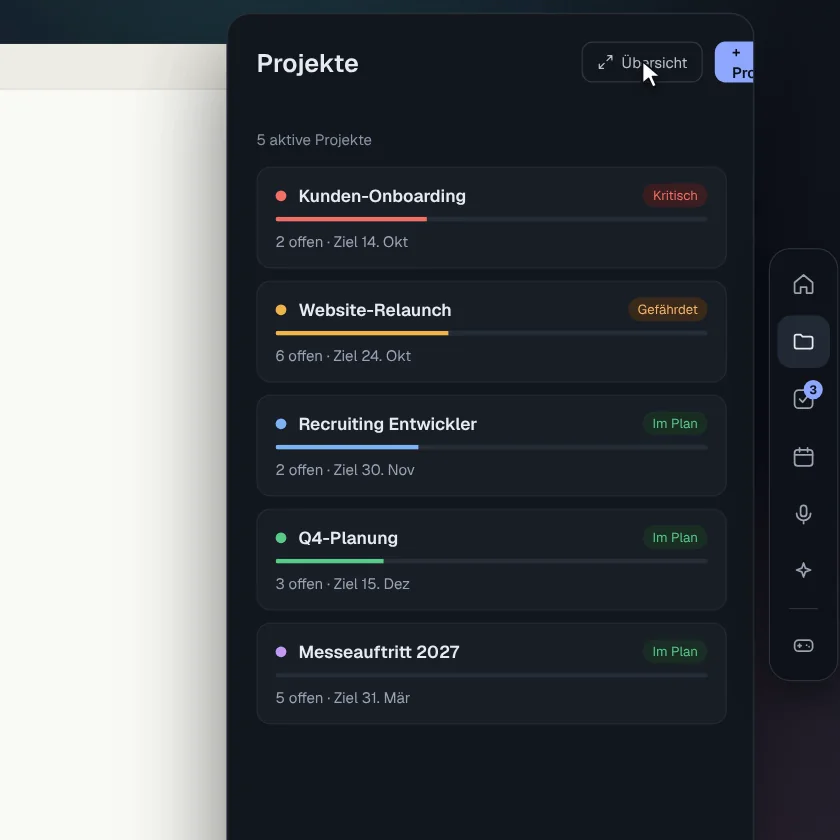
Projects with status
Critical, at risk, on track – calculated automatically.
- Included from Free
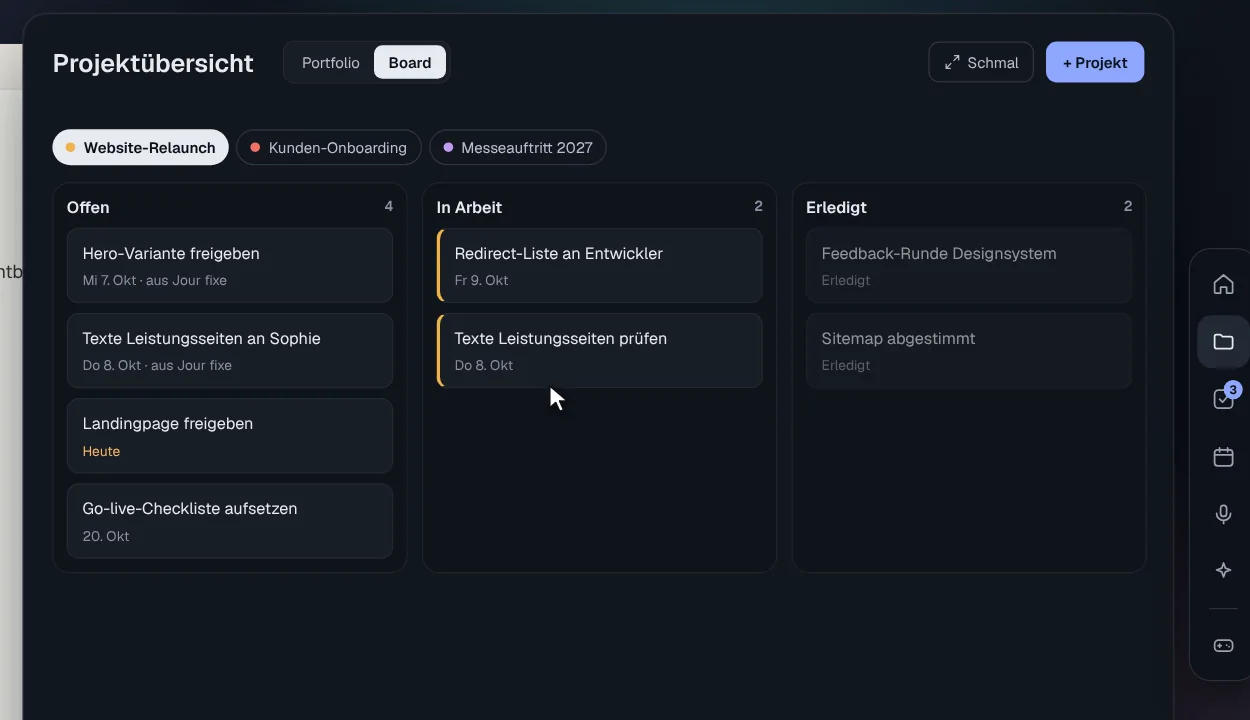
A board per project
Open, in progress, done – by drag or keyboard.
- Included from Project Manager
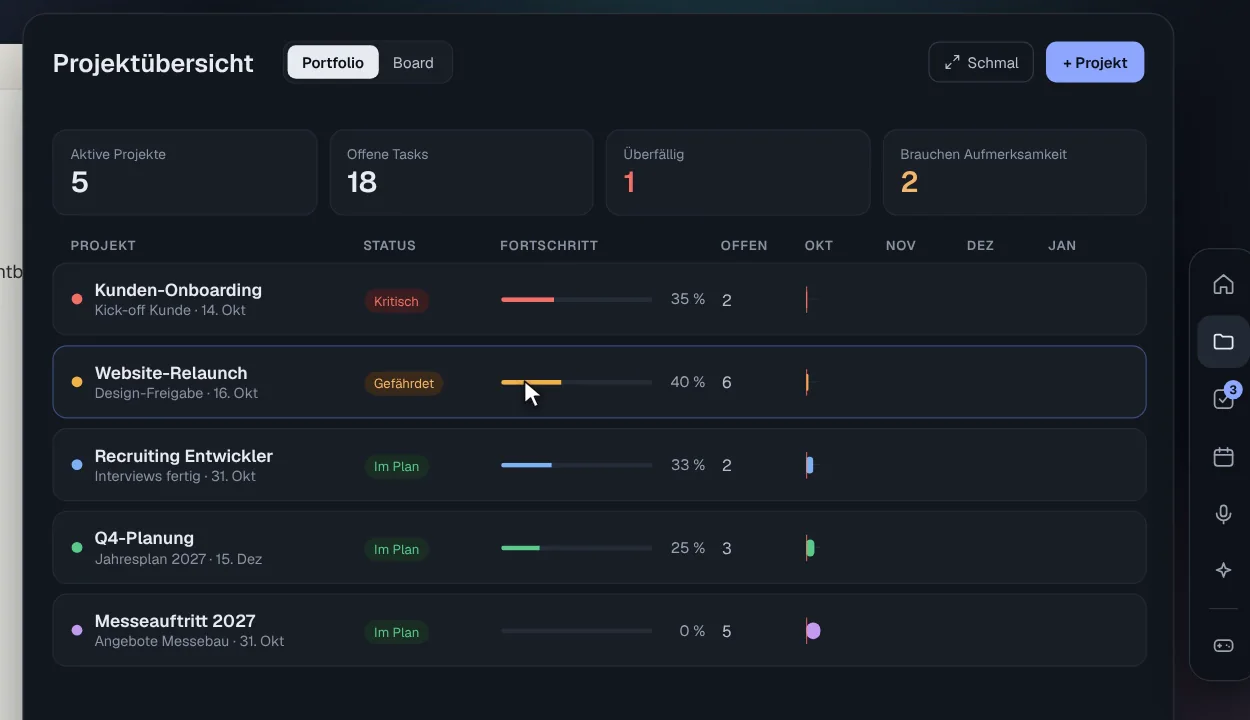
Portfolio with timeline
All projects and deadlines in focus mode.
- Included from Free
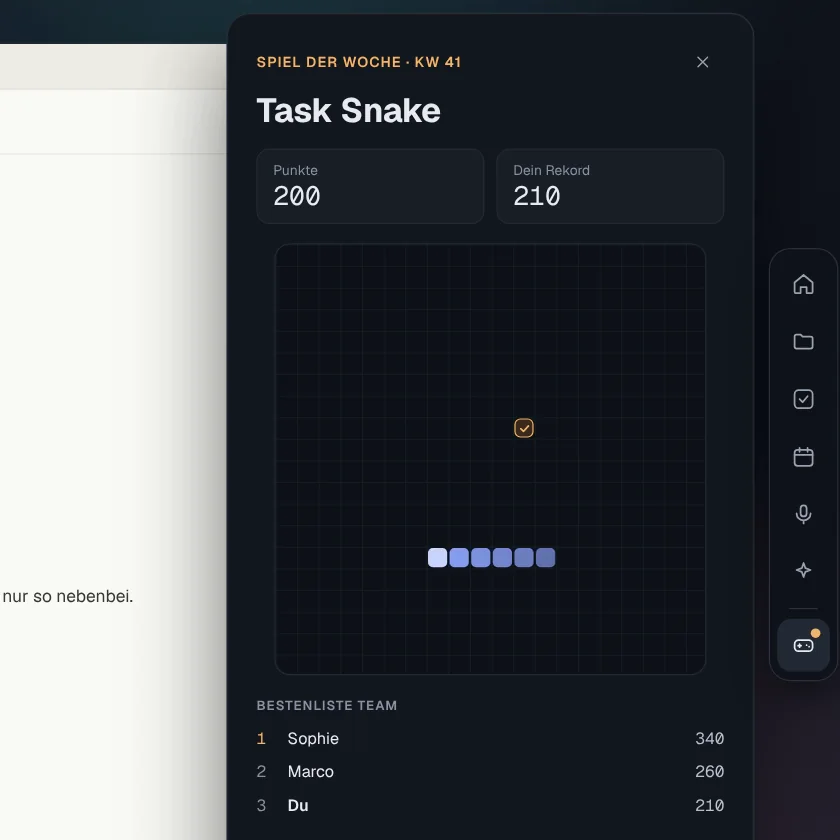
Game of the week
Three tasks done today? Time for a round. With a team leaderboard and a challenge link for your colleagues.
Simple pricing
Start for free. Upgrade when you need more.
Free
For everyday work
€0 / month
- Up to 3 projects and lists with 10 open tasks each, unlimited inbox
- Windows widget with hotkeys and quick capture
- Eisenhower matrix and a board per project
- Share projects with others
- Android app (beta)
- Weekly game with team leaderboard
Check
PopularFor people who want to get more done
€4.90 / month
- Everything in Free, without limits
- AI input: “Tomorrow 10am proposal to Lena” (up to 50 a day)
- Google Calendar and Google Tasks in both directions
- Time blocking: drag tasks into your calendar
- Areas to group projects and lists
- Export your data
- 14-day free trial
Pay securely with Stripe. Invoice with every purchase.
Project Manager
For projects with teams and clients
€15 / month
- Everything in Check
- Portfolio overview with timeline
- Time tracking per task and project, with CSV export
- Status links for clients
- Meeting notes and agent (planned)
Pay securely with Stripe. Invoice with every purchase.
All prices in euros incl. 20% VAT. Subscriptions can be cancelled monthly or yearly.